DocsConnect an accounteToro
Connect your eToro account
Create a read-only API key in eToro and paste it into OXrun. About 5 minutes. OXrun can read your record but cannot trade or withdraw.
What you need: an eToro account, an OXrun account (sign in with an email code), about 5 minutes.
1. Create an API key
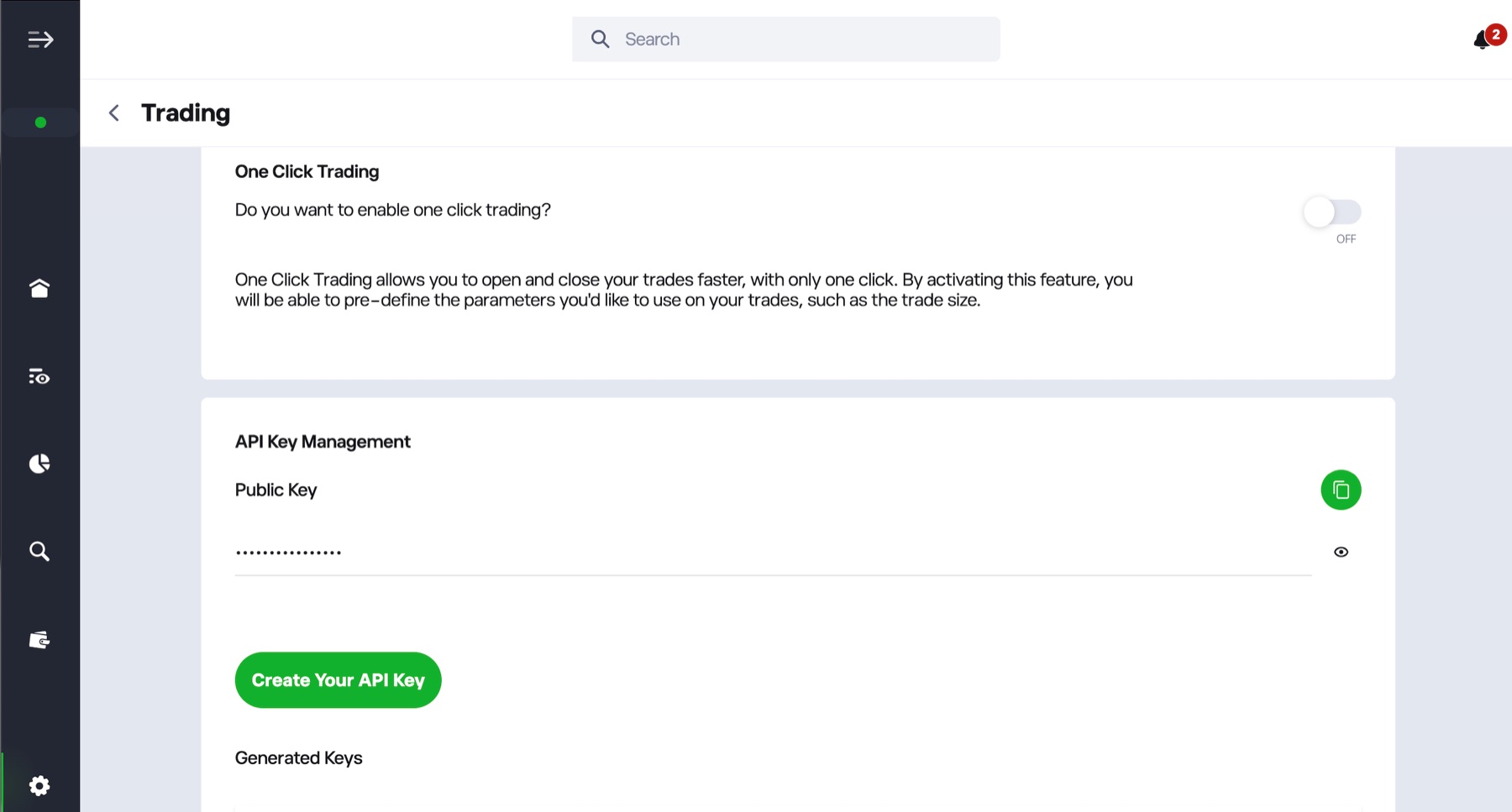
In eToro, open Settings, then Trading. Under API Key Management, click Create Your API Key.
2. Give the key a name
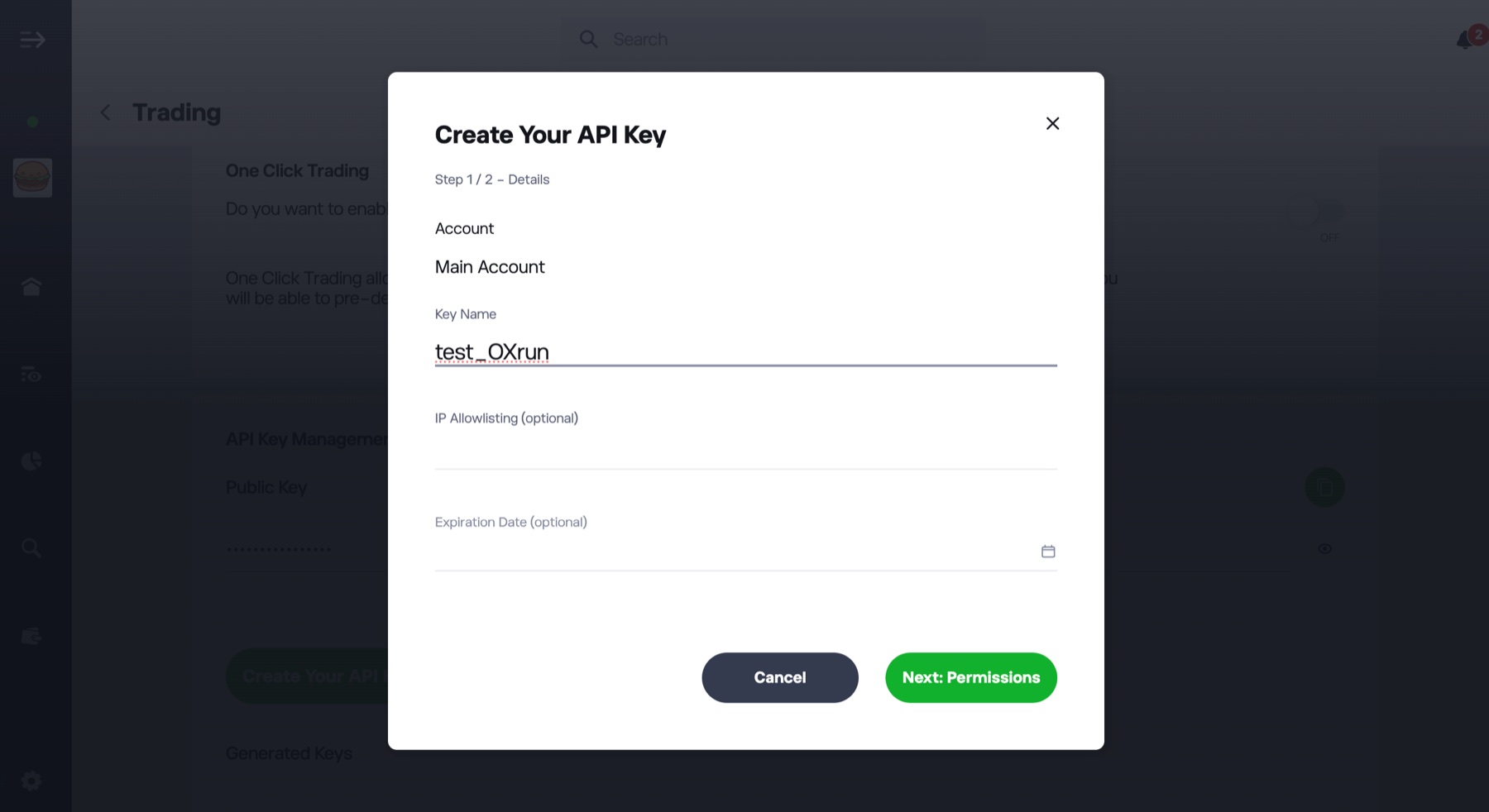
Type a name you will recognise, such as OXrun. Leave IP allowlisting and the expiration date empty, then click Next: Permissions.
3. Make the key read-only
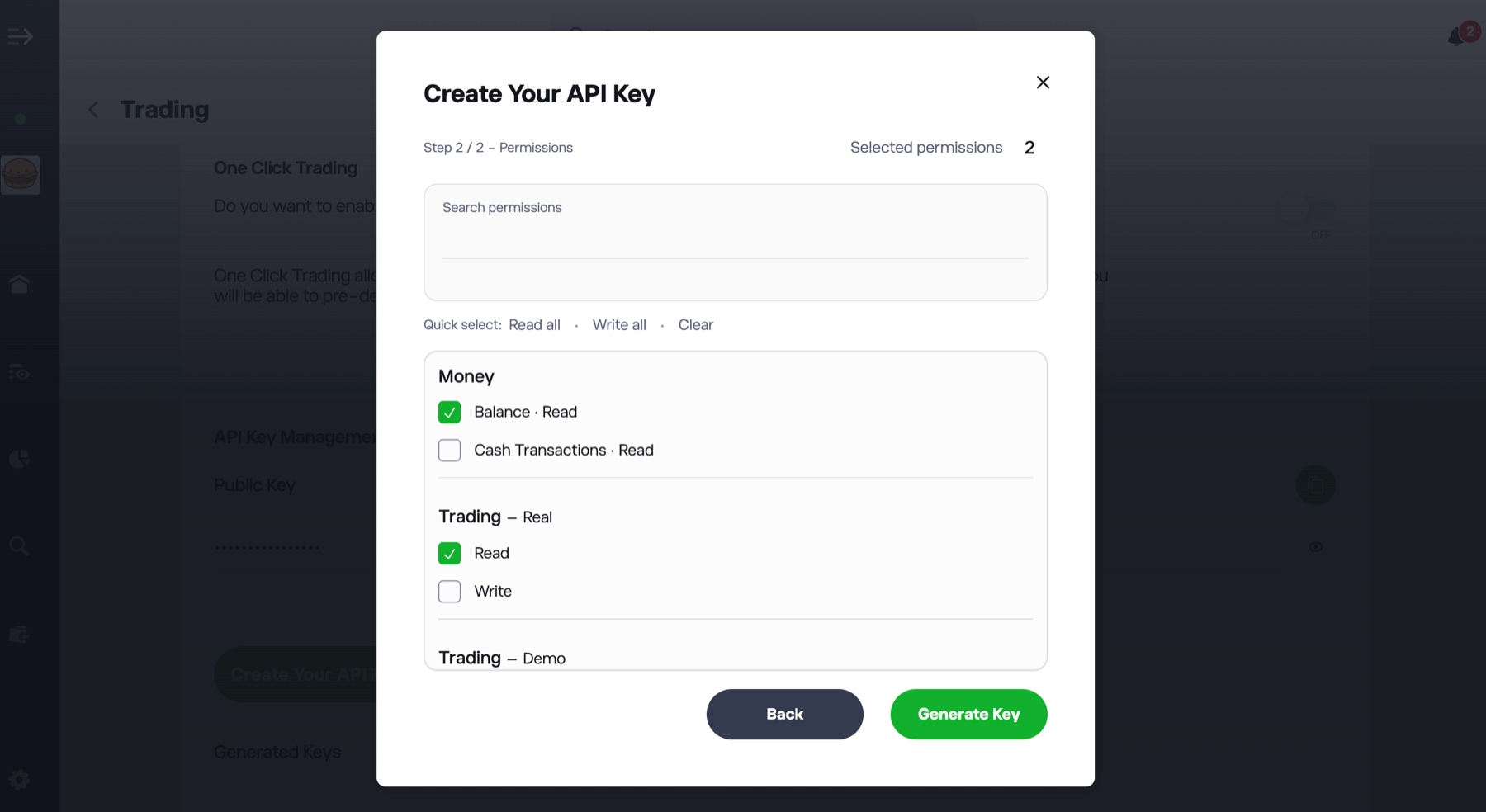
Tick only Balance · Read under Money and Read under Trading – Real. Leave Write unticked, then click Generate Key.
Do not tick any Write permission. A key with Read permissions cannot place trades or make withdrawals.
4. Save both keys
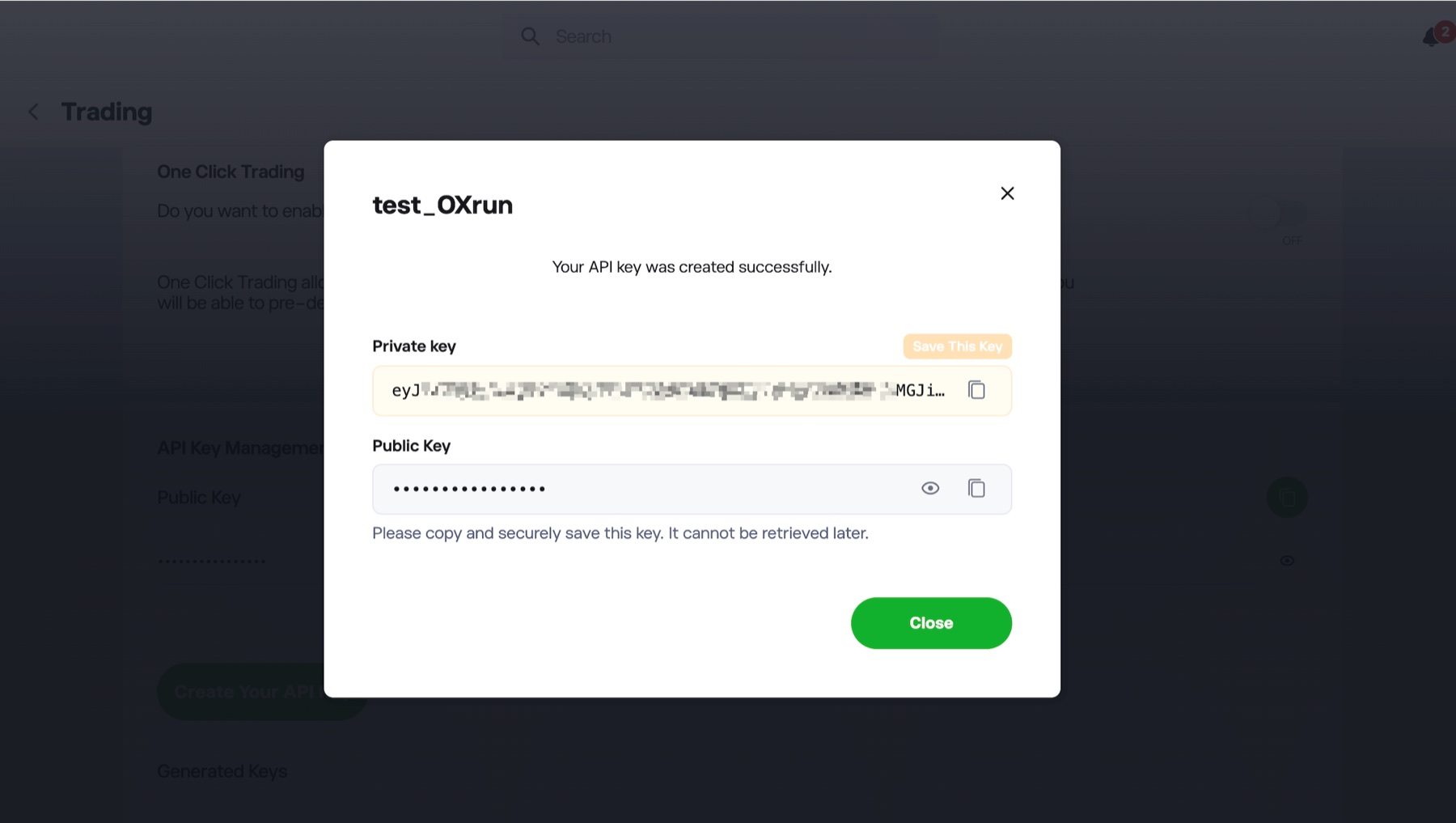
eToro shows a Private key and a Public Key. Copy both and store them in a password manager.
The Private key is shown once and cannot be retrieved later. If you lose it, delete the key and create a new one.
5. Enter the keys in OXrun
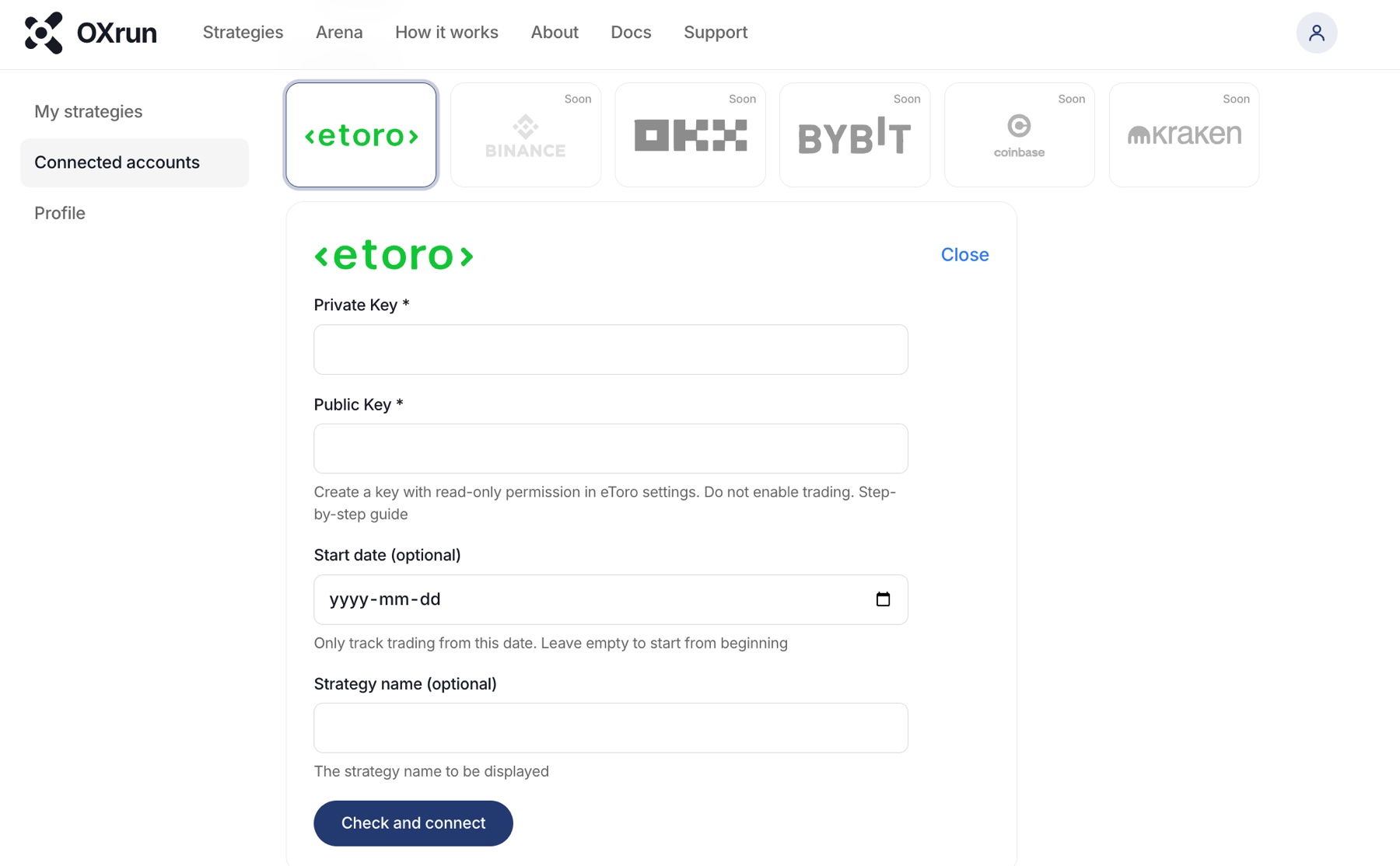
In OXrun, open Connected accounts and choose eToro. Paste the Private key from eToro into Private Key and the Public Key into Public Key. Add a start date or a strategy name if you want, then click Check and connect.
Your page is usually live within 10 minutes. We email you when it is.
If something goes wrong
The connection fails
Check that the Public Key and the Private Key are in the right fields, with no spaces. Check the key is active and has not expired.
I lost the Private key
eToro cannot show it again. Delete the key in eToro, create a new one and connect it in OXrun.
My strategy is not showing
A new page is usually live within 10 minutes. Check its status in My strategies. A new connection needs some trading history before metrics appear.
I want to stop OXrun reading my account
Delete the API key in eToro, or delete the strategy in My strategies in OXrun.
Still stuck?
Email us from the address you signed up with. Include the strategy name and what happened.
Email support